Analyst training · Security+ · SOC
Practice Security+ the way a SOC works.
Triage 275 alert tickets, follow a 17-chapter study guide and sit timed mock exams. Everything is free for 7 days.
- Android and web
- 7 days free
- 15 themes
- Lessons work offline
No card needed to start. You sign in with Google.
What is inside
Built around a security analyst's day
You learn the exam topics by using them, the way a SOC does: an alert comes in, you look at the evidence, you make the call.
NODE 01
Missions
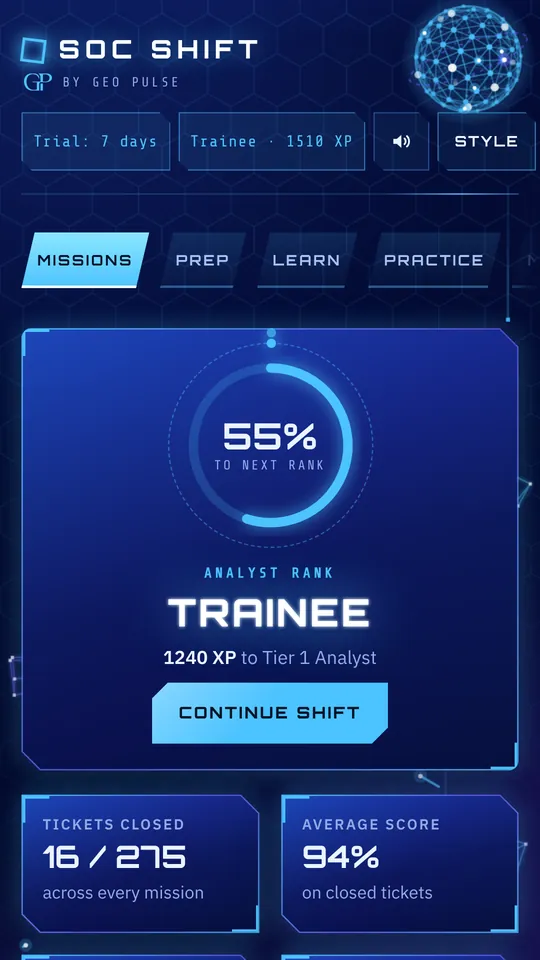
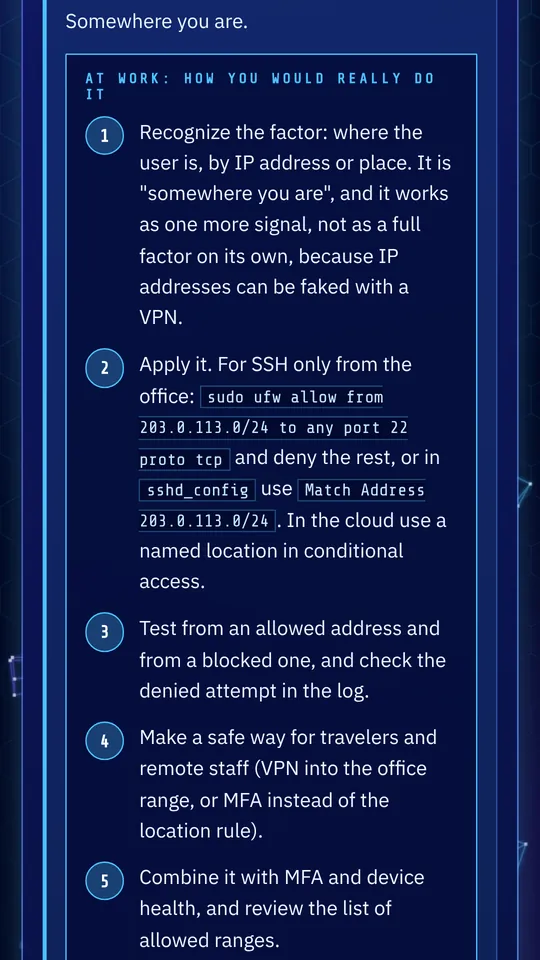
Alert tickets. Work 275 tickets across five tracks. Each has a step-by-step walkthrough with the real commands. Close tickets to earn XP and climb from Trainee.
NODE 02
Study guide
17 chapters. In classroom order. Every chapter lists the exam objectives it covers, with plain-language reading, key terms and review questions.
NODE 03
Practice and mocks
522 questions. Original questions with explanations, timed mock exams, a readiness check for each domain, and 305 flashcards for terms and acronyms.
NODE 04
SOC Assistant
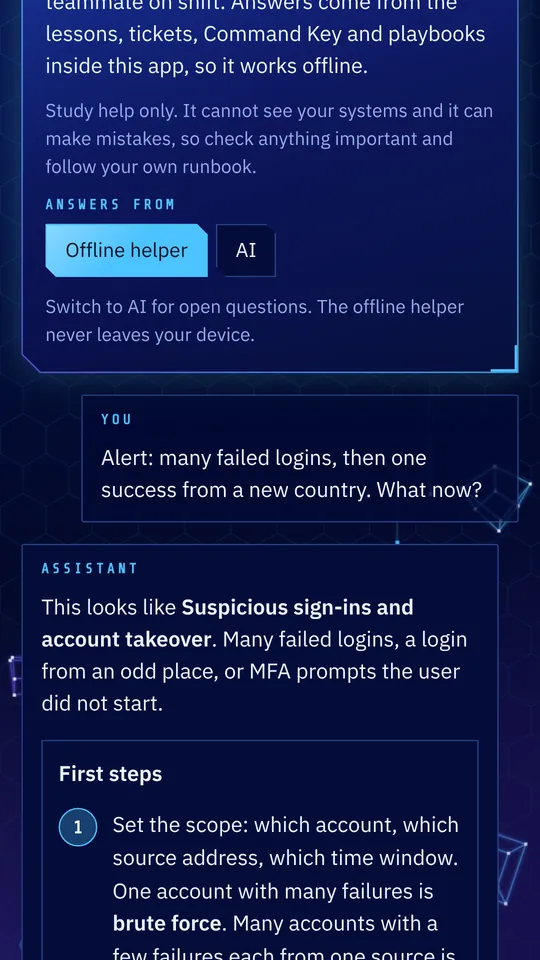
Ask about an alert. Describe an alert, a log or a command and get first steps, evidence to save and a ticket note. Up to 20 AI questions a day, plus an offline helper.
NODE 05
Wireshark and Splunk
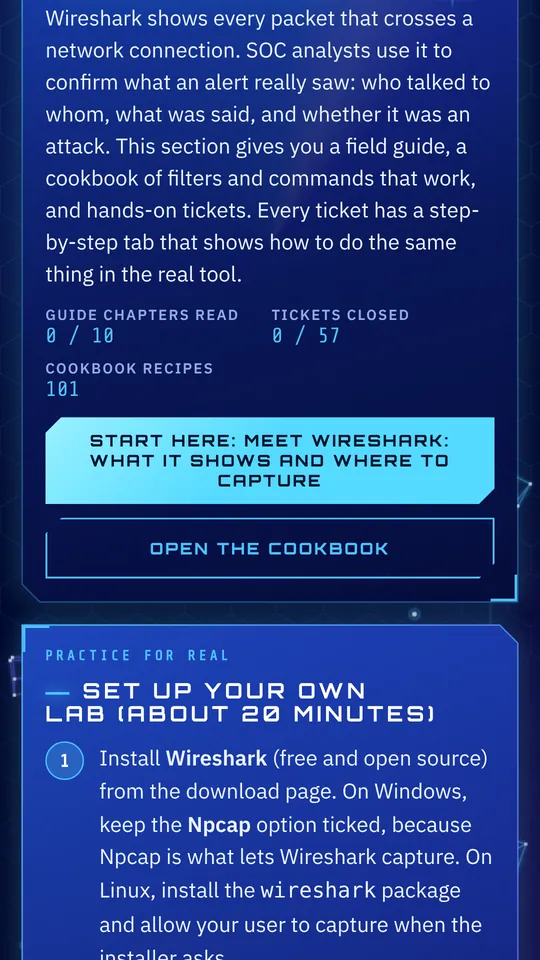
Two labs. 57 Wireshark tickets and 70 Splunk tickets, plus a lab you can set up yourself. Searches were checked in a simulator.
NODE 06
Command Key
Copy and use. Linux and Windows troubleshooting commands, written for study and lab practice, ready to copy.
NODE 07
Study plan
Built from your score. Take a placement test and get a plan with weak chapters first. Each day shows about how many minutes it takes.
NODE 08
Community
Ask and share. Ask questions and share what you learned. Links and contact details are blocked in posts, and posts can be reported.
NODE 09
Themes and sound
15 themes. Animated themes with calm music and a switch to turn the motion off. The app is in English at launch. More languages are planned.
The shift board
Every shift builds on the last
The first track, SOC Fundamentals, has five nodes and 39 tickets. It ends with a boss night.
- Now
Node 01
Today's threats
Phishing, stolen sessions, edge exploits and the moves that come right before ransomware.
8 tickets - Fundamentals
Node 02
Logs and packets
Windows and Linux logs, Wireshark filters, DNS, SQL injection and a Python log script.
9 tickets - Core skills
Node 03
Identity, cloud and response
MFA attacks, cloud keys, incident response phases, and telling a false positive from the real thing.
7 tickets - Next
Node 04
Tomorrow: AI and quantum
Hijacked AI agents, poisoned tools, harvest-now-decrypt-later and the agentic SOC.
10 tickets - Boss night
Node 05
Full incident
One intrusion from the first alert to the new detections. Five calls in a row. Every shift you worked comes together.
5 tickets
- Security+ practice · 55 tickets
- Frameworks and compliance · 54
- Wireshark lab · 57
- Splunk lab · 70
- 2026 briefing
On your phone
Made for short breaks and long shifts
Study plan
A plan built from your score
Start with a placement test. Guessing is fine. The test is for planning and does not count against you.
- Take the placement testQuestions from across the exam show where you stand.
- See your planWeak chapters come first. Chapters you already know get a quick pass.
- Follow it day by dayEach day shows about how many minutes it takes, with checkpoints along the way.
- Finish with a mock examCheck your readiness in every domain before you book the real one.
Plans
Free for 7 days. Then pick a plan.
Every plan unlocks everything in the app. You buy in the Android app through Google Play, and the web version uses the same Google sign-in.
Monthly
$9.99per month
Pay month to month
3 months BEST VALUE
$24.99every 3 months
$8.33 a month
Yearly
$59.99per year
$5.00 a month
- All 275 tickets and the full study guide
- 522 questions, flashcards and mock exams
- SOC Assistant, up to 20 AI questions a day
- Community, 15 themes and music
Billed through Google Play. Each plan renews automatically at the end of its period until you cancel, and you can cancel any time in Google Play. Prices are in US dollars. Google Play shows your local price and any taxes at checkout.
Your data
What we keep, and what we don't
Progress stays with you
Your study progress lives on your device. Resetting the app erases it.
Sign in with Google
No password to make or lose. We keep your name, email, plan status and community posts.
Never sold
We do not sell your personal information or share it for advertising. See the Privacy Policy.
Questions
Good to know
Something missing? Write to support@soc-shift.com.
Is SOC Shift affiliated with CompTIA?
No. SOC Shift is an independent study tool from Geo Pulse LLC. CompTIA and Security+ are trademarks of CompTIA, Inc. All questions are original and are not real exam questions.
Which Security+ exam does it cover?
Pick SY0-701 or the newer SY0-801 in the app. Questions that apply only to the newer exam are tagged, so you can see what changed.
Will it help me pass?
It gives you practice and a readiness check for each domain. No app can promise a pass, and the readiness check is a study gauge, not a prediction.
Do I need an account?
Yes. You sign in with Google, then choose a plan to unlock the app. We keep your name, email, plan status and community posts. Your study progress stays on your device. The Privacy Policy has the details.
What happens after the 7 days?
The paid parts lock until you pick a plan. Your progress is saved on your device and is waiting when you come back. You are never charged unless you subscribe.
How do I cancel?
Open Google Play, tap your profile picture, then Payments and subscriptions, then Subscriptions. Cancelling stops the next renewal, and you keep access until the period you paid for ends. The Account page in the app opens this for you.
Does it work offline?
Lessons, practice questions, tickets, flashcards and the study guide work without a connection. The AI assistant and the community need internet.
Can the AI be wrong?
Yes. AI answers can contain mistakes, so check anything important and follow your own organization's runbook. Every AI answer has a Report this answer button.
Which languages are included?
SOC Shift is in English at launch. More languages are planned. Tell us which one you want at support@soc-shift.com.
How do I delete my account?
In the app, open Account and choose Delete my account. You can also follow the steps on the delete account page. Cancel your subscription in Google Play first, because deleting does not cancel it.